Tactus shows tablet keyboard rising from flat screen (w/ Video)
Jun 06, 2012 by Nancy Owano report

(Phys.org) -- Why settle for flat? That is the question highlighted on the home page of Tactus Technology, which does not want device users to settle for any of today’s tactile limitations on flatscreen devices. The Fremont, California-based company has figured out how to put physical buttons on a display when we want them and no buttons when we don’t. Tactus has announced its tactile user interface for touchscreen devices that are real, physical buttons that can rise up from the touchscreen surface on demand.

The on-demand feature is noteworthy; with the buttons enabled, users are free to push the keys and type; when buttons are disabled, they recede into the screen and become invisible.

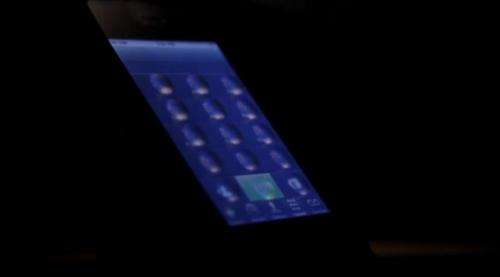
Tactus made the announcement earlier this week at the Society for Information Display (SID) Display Week 2012 in Boston where its "Tactile Layer" panel was shown on a prototype Android tablet. The company’s patent-pending technology is to be ready for use in commercial devices by mid-2013.

The customizable buttons can appear in a range of shapes and configurations. Buttons may run across the display, or in another collection of round buttons to represent a gamepad for playing games. “We are a user interface technology where people can take our technology and create whatever kind of interface they want," said Nate Saaal, VP business development. He said it could be any shape or construct on the surface.

Whether the interface belongs to a smartphone, tablet, or gaming device, the company says power consumption is minimal.
Outside the company, researchers into tactile technologies agree that, as attractive as tablet devices are for media consumption, knowledge workers depending on traditional desktops and laptops have held back from using them more fully because of touchscreen typing, prone to typos and in turn slowing down the user’s typing speed. Tactile button options for gamers is also seen as a plus, as a user ideally needs to keep eyes on the screen, and be able to push the right game buttons at any moment.

If the concept sounds vaguely familiar, it should. The idea for this type of touchscreen surface came to Craig Ciesla, CEO of Tactus, in 2007, when he chose to use his BlackBerry instead of a newly released iPhone because of the former’s . He began to think about the possibility of adding a physical tactile surface option to flat touchscreens. Whether keyboard or other interface, the tactile buttons might rise and fall out of a touchscreen on-demand. He said the answer to that lay in microfluidics, the manipulation of fluids, geometrically constrained to a small, typically submillimeter scale.

Microfluidic technology underlies the interface technology. When triggered, a thin layer deforms and buttons or shapes of a specific height, size and firmness appear on the surface of the screen. Users can feel, press down and interact with the buttons as on a keyboard. The company's design calls for a thin transparent cover layer with special properties laid on top of a touchscreen display. Made of glass or plastic, the layer has microchannels filled with a nontoxic fluid. Increasing fluid pressure with a small internal controller causes the transparent physical buttons to grow out of the surface of the layer in less than a second. The company says the technology allows OEMs to “dramatically differentiate” their devices “by providing the best of both touchscreen and keyboard technology.”

The Boston show demo was a result of Tactus partnering with Touch Revolution, a manufacturer of touch displays.

Explore further: Transparent phone display has front-and-back touch

Related Stories

A touchscreen you can really feel (w/ video)

Nov 16, 2011

(PhysOrg.com) -- Swiss researchers have invented a new generation of tactile surfaces with relief effects – users can feel actual raised keys under their fingers. This technology could have many applications, particularly ...

Transparent phone display has front-and-back touch

Jun 01, 2012

(Phys.org) -- Japanese wireless carrier NTT DoCoMo and Fujitsu attracted attention at this week’s 2012 Wireless Japan expo, with their transparent, dual-sided smartphone touchscreen. This is a see through ...

Lenovo applies for a patent for a grip tablet keyboard

May 29, 2012

(Phys.org) -- With the introduction of the tablet computer, users of such devices have been forced to make some tradeoffs regarding keyboards. Virtually all tablets make use of image display and finger touching ...

Microsoft puts finger on 1ms touchscreen (w/ video)

Mar 13, 2012

(PhysOrg.com) -- Touchscreen features in smartphones and tablets are satisfying perks in going wireless and mouse-less in mobile computing, but now Microsoft wants to make people aware of how much more satisfying ...

Recommended for you

Phone camera app with audio cues clicks with blind

May 13, 2013

(Phys.org) —Picture-taking is not a comfortable subject for those with vision impairments or who are blind. Having a resume-type photo for an online bio page or sharing a photo of a trip with friends are ...

User comments : 6

Adjust slider to filter visible comments by rank

Display comments: newest first

Vendicar_Decarian
not rated yet Jun 06, 2012
Finally the breakthrough needed for the realization of teledildonics.

Tactus for your/her pleasure.

barturas
1 / 5 (3) Jun 06, 2012
touch screen only works by touching, not pressing ... so what's the point of this bulge on the screen?
Toronto
not rated yet Jun 06, 2012
1. I wonder if it works with a screen protector?
2. The gorilla glass is underneath?
mrtea
not rated yet Jun 07, 2012
As someone who perpetually hits the wrong keys, I can't wait. This will help enormously to improve accuracy.

Are the bumps limited to certain areas or can they change shape according to the app?
Vendicar_Decarian
not rated yet Jun 07, 2012
Is that a bulge on my screen or are you just happy to see me?

"so what's the point of this bulge on the screen?" - Barturas

Nuff said.
ddietle
not rated yet Jun 07, 2012
touch screen only works by touching, not pressing ... so what's the point of this bulge on the screen?

And I am sure they hadn't thought of that....

I imagine the interface is modified to accept pressing in those areas rather than simple touching, or it registers the "touch" when the button is pressed. Get excited, stop being such a cynic.

More news stories

US seizes Bitcoin operator accounts

US authorities seized the accounts of a Bitcoin digital currency exchange operator, claiming it was functioning as an "unlicensed money service business," court documents showed Friday.

Morocco to harness the wind in energy hunt

Morocco is ploughing ahead with a programme to boost wind energy production, particularly in the southern Tarfaya region, where Africa's largest wind farm is set to open in 2014.

Galaxy's Ring of Fire

Johnny Cash may have preferred this galaxy's burning ring of fire to the one he sang about falling into in his popular song. The "starburst ring" seen at center in red and yellow hues is not the product of ...

Alaska volcano shoots ash 15,000 feet into the air

(AP)—One of Alaska's most restless volcanoes has shot an ash cloud 15,000 feet into the air in an ongoing eruption that has drawn attention from a nearby community but isn't expected to threaten air traffic.